

FTK Imager 3.0 in the Windows Forensic Environment

By now, most everyone involved with forensics knows about the latest release of FTK Imager 3.0. In my opinion, this is perhaps the best release ever of FTK Imager and probably one of the top releases of software this year because of one of the newest features and the price (FREE and MOUNTS IMAGES!). Given other expensive software, or free software that doesn’t work as expected, or difficult to manage manual procedures to mount images, to now have FTK Imager 3.0 quickly and neatly mount an image is a nice addition to my Start Menu.
So the bigger deal with FTK Imager 3.0….it runs in WinFE. With FTK Imager 3.0, you can mount images in WinFE and conduct analysis in the Windows Forensic Environment with any other tool that runs in WinFE, such as X-Ways Forensics, ProDiscover, or Encase.
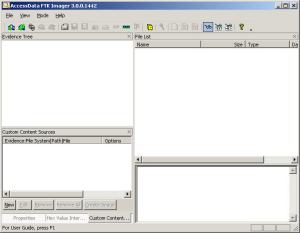
Now I know what you are probably thinking. FTK Imager “Lite” 2.9 will run in WinFE and that version doesn’t support image mounting. FTK Imager 3.0 needs to be installed, which is problematic in WinFE. Well, right and wrong. FTK Imager 3.0 only needs to be installed on any system, then copy the program folder onto WinFE to run as if it were installed. Voila! No need for the Lite version when you can have the full meal deal.
Now how’s that for having a completely self-contained Windows Forensic Environment, running minimal processes on just about any system…technically, this is called, “Niiiccceee….”
Discover more from Brett's Ramblings
Subscribe to get the latest posts sent to your email.
